0808 189 1246
 info@miatlantic.com
 out of 5

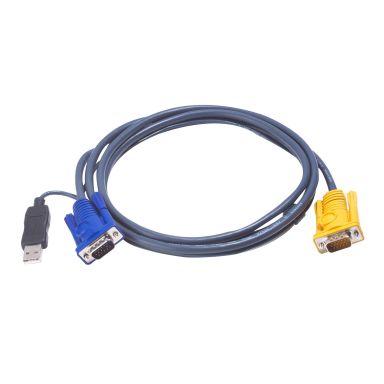
Aten 2L5202UP KVM cable 1.8 m Black

 In Stock
|

get it next day (UK Mainland Orders)
Ports & interfaces
Video port type
VGA
Connector 2
SPHD-15
Connector 1
HDB-15 + USB A
Features
Cable length
1.8 m
Weight
180 g
Product colour
Black
Technical details
Cable length
1.8 m
Weight
180 g
Package weight
180 g
Product colour
Black
Weight & dimensions
Cable length
1.8 m
Weight
180 g
Performance
Cable length
1.8 m
Video port type
VGA
Connector 2
SPHD-15
Connector 1
HDB-15 + USB A
Product colour
Black
Connector 1 gender
Male
Connector 2 gender
Male
Packaging data
Weight
180 g
Package weight
180 g
Logistics data
Master (outer) case width
33 cm
Master (outer) case length
45 cm
Master (outer) case height
24 cm
Master (outer) case gross weight
11.8 kg
Products per master (outer) case
60 pc(s)
Master (outer) case net weight
10.8 kg
Other features
Product colour
Black
Aten 2L5202UP KVM Cable 1.8m - Black
Designed for use with KVM switches and extenders, and features a built-in PS/2 to USB converter, the Aten 2L5202UP KVM Cable in the UK is a high-quality and all-in-one KVM cable, combining video, keyboard, mouse, and PS/2-to-USB conversion in a single cable. You can thus reduce clutter and simplify setup.
2L5202UP Specifications:
-
VGA: HDB-15 Male
-
USB: USB A Type Male
-
KVM Port: SPHD-15 Male
Cable Length & Color:
This is an Aten KVM cable 1.8m that allows you to connect USB computers to PS/2 KVM switches without the need for adapters. It is available in black.
Connectors:
It comes with connecting USB computers to PS/2 KVM switches without the need for adapters on the PC/source side and a proprietary 3-in-1 SPHD-15 male connector on the KVM switch side. You can thus combine keyboard, mouse, and video signals.
PS/2 to USB Converter Built-In:
This is an Aten PS/2 to USB converter cable that enables USB computers to interface with PS/2 KVM switches. You can thus connect with a legacy PS/2 keyboard/mouse that comes with USB-only hosts or switches.
Aten KVM Cable Compatibility:
This VGA to SPHD Intelligent KVM cable is compatible with the following Aten devices:
-
Computer Sharing Devices: CS231
-
KVM Extenders: CE350, CE370
-
LCD KVM Switches / Consoles: CL1000, CL5716I, CL5708I, CL5708, CL5716
-
Remote Control & Monitoring Solutions: CS231TK
Easy Deployment:
It also supports multiple OS such as Windows, Mac, and Sun Solaris. You don’t need to install any software; all you need is to plug the custom-made DB15 end of the cable into your ATEN KVM and plug the USB end of the cable into your USB computer.
| Weight | 0.18 kgs |
Write Your Own Review