0808 189 1246
 info@miatlantic.com
 out of 5



Network Switch
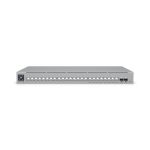 IN STOCKUbiquiti USW-Pro-Max-24-PoE L3 2.5G Ethernet (100/1000/2500) Power over Ethernet (PoE) Grey
Brand: Ubiquiti Networks SKU: USW-PRO-MAX-24-POE Condition: NEW £621,74 | £746,09(Inc.VAT)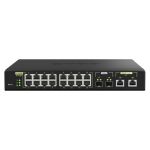 IN STOCKQNAP QSW-M2116P-2T2S network switch Managed L2 2.5G Ethernet Power over Ethernet (PoE) Black
Brand: Qnap SKU: QSW-M2116P-2T2S Condition: NEW £619,08 | £742,90(Inc.VAT)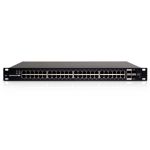 IN STOCKUbiquiti Networks ES-48-500W network switch Managed L2/L3 Gigabit Ethernet (10/100/1000) Black 1U Power over Ethernet (P...
Brand: Ubiquiti Networks SKU: ES-48-500W Condition: NEW £614,29 | £737,15(Inc.VAT)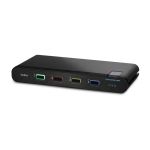 IN STOCKBelkin F1DN104KVM-UNN4 KVM switch Black
Brand: Belkin SKU: F1DN104KVM-UNN4 Condition: NEW £609,55 | £731,46(Inc.VAT) IN STOCKATEN KH2508A-AX-E KVM switch Black
Brand: Aten SKU: KH2508A-AX-E Condition: NEW £605,90 | £727,08(Inc.VAT) IN STOCKAten KH2508A KVM switch Black
Brand: Aten SKU: KH2508A Condition: NEW £605,90 | £727,08(Inc.VAT) IN STOCKOmada 48-Port Gigabit And
Brand: Tp-Link SKU: SG3452XP Condition: NEW £605,17 | £726,20(Inc.VAT) SaleIN STOCKHPE Aruba 2930F 24G 4SFP Managed L3 Gigabit Ethernet
Brand: HPE SKU: JL259A Condition: NEW £650,00£603,00 | £723,60£780,00(Inc. VAT) IN STOCKAten KN1000A KVM switch Black
Brand: Aten SKU: KN1000A Condition: NEW £601,23 | £721,48(Inc.VAT) IN STOCKATEN KN1000A KVM switch Black
Brand: Aten SKU: KN1000A-AX-E Condition: NEW £601,23 | £721,48(Inc.VAT) IN STOCKUbiquiti USW-Enterprise-24-PoE UniFi 24-Port Layer 3 Managed Rackmount Gigabit PoE+ Switch
Brand: Ubiquiti Networks SKU: USW-Enterprise-24-PoE Condition: NEW £588,63 | £706,36(Inc.VAT) IN STOCKATEN 8-Port USB DVI Single-Link KVM Switch, Audio
Brand: Aten SKU: CS1768-ATA-E Condition: NEW £576,15 | £691,38(Inc.VAT)
Network Switch Buying Guide in 2025 for UK-Based Users
For any network infrastructure, whether SME, startup, or any large enterprise, the role of network or Ethernet switches is crucial. They are designed to connect network segments, deliver full-duplex communication, and enable network administrators to ensure efficient utilization of bandwidth. For UK-based companies, the importance of these switches becomes even more strategic for several reasons. First, the UK has one of the highest rates of remote and hybrid working in Europe, making it important for homes, businesses, and data centers to choose a reliable Ethernet switch.
Second, small and medium enterprises make up the majority of UK businesses; they need cost-effective and reliable networking, and these switches can help them secure this vital objective. Third, full-fiber broadband, also known as the FTTP (Fibre to the Premises), is rapidly becoming the norm, requiring gigabit Ethernet switches for the fullest exploitation of FTTP. Finally, UK businesses need to comply with GDPR and Cyber Essentials, which can be ensured through managed Ethernet switches, allowing businesses to protect sensitive data. Therefore, the strategic importance of choosing the right Ethernet switch in the UK cannot be overemphasized; you need to know every in and out of them to make a well-informed decision.
In this write-up, we are going to deal with these switches for networking and help you understand how to choose ideal switches tailored to your budget, operational, and preference needs in the United Kingdom.
We first start with the basics of Ethernet switches.
What is a Network Switch?
Network switches are physical and hardware components of a network that operate at the Data Link layer of the Open Systems Interconnection (OSI) model: Layer 2. They are designed to rely on data from a computer network to the destination end-points via a multiport bridge system, MAC address identification, and packet switching.
Switches can take packets in from devices that are physically connected to them through their ports, and then transmit data packets to their intended destination.
Here salient features of these switches:
-
Unlike routers that use IP addresses for forwarding decisions, switches rely upon media access control (MAC) addresses.
-
Switches can dynamically learn MAC addresses by evaluating the source MAC addresses of incoming frames.
-
They are capable of building and maintaining a switching content-addressable memory (CAM) table. These tables map MAC addresses to every physical port that switches possess.
-
They can perform multiple tasks, such as frame filtering and forwarding, based on the switching table.
-
They come in various standards and speed configurations, such as 10/100/1000 Mbps, 10 Gbps. Furthermore, they can be 8-port switches, 12-port switches, 24-port switches, or even enterprise-grade 48-port switches.
-
Some advanced switches, such as managed Ethernet switches, support spanning tree protocols (STP, RSTP, MSTP) for preventing network loops, employ QoS (Quality of Service) mechanisms for network traffic prioritization, and they can also feature link aggregation (LAG) for increased bandwidth and redundancy.
Network Switches vs Routers vs Network Hubs:
Before we move ahead to discuss different types of network switches, it is pertinent here to know the differences between switches, routers, and hubs.
Here is a table showing their differences.
|
Features |
Network Switches |
Routers |
Hubs |
|
Function |
Forwards data to a specific device using the MAC address |
Routes data between different networks using IP addresses |
Broadcasts data to all connected devices |
|
OSI Layer |
Data Link Layer (Layer 2) |
Network Layer (Layer 3) |
Physical Layer (Layer 1) |
|
Network Segment |
Separate collision domains for each port |
connects multiple networks and separates broadcast domains |
Single collision domain for all ports |
|
Data Transmission |
Full duplex (simultaneous send and receive) |
Full duplex, directing packets to a specific network |
Half duplex (transmission only one way at a time) |
|
Security |
Higher sends data only to the intended recipient |
High, includes filtering, NAT, and firewall capabilities |
Low sends data to everyone |
|
Speed |
Typically 10Mbps to 100Gbps (varies by model) |
Varies, supports high-speed routing |
typically 10Mbps to 100Mbps |
|
Cost |
More costly than hubs |
Cheapest among the three |
Most expensive |
|
Use cases |
small home offices to large networks where network speed and efficiency are prioritized |
Rarely used in networks, suitable for small, simple LANs or legacy systems |
Connects LANs, WANs, and provides internet connectivity |
Types of Ethernet Switches:
Given the fact that these switches perform a critical role in network management, administration, monitoring, and troubleshooting, multiple types of switches are available in the UK market.
1. Managed Network Switches
2. Unmanaged Network Switches
3. Smart Network Switches
4. PoE switches
5. Layer 2 vs Layer 3 switches
Let’s discuss each of them one by one.
Managed Switches UK:
Managed switches are advanced network switches that help network administrators access full control, monitoring, and security over network traffic. They are fully configurable and recommended for businesses, enterprises, educational institutions, and public services in the UK.
Here are the salient features of managed switches available in the UK and beyond.
-
They support VLANs (Virtual Local Area Networks), helping IT administrators segment the network into networks, isolate traffic between departments. This feature comes in handy, particularly for UK businesses handling sensitive data under GDPR. They can separate customers' and employees’ data from guest or public access.
-
QoS (Quality of Service) of managed switches helps users prioritize network traffic for mission-critical applications, such as for VoIP calls, video conferencing, and cloud apps. For remote and hybrid working conditions, which are very popular in the UK, users can employ QoS to make sure that Microsoft Teams, Zoom, and VoIP systems, like applications, remain stable even during heavy traffic.
-
Ethernet managed switches come with advanced security capabilities, including Access Control Lists (ACLs), port security, 802.1X authentication, and MAC filtering. This can help UK organizations like finance, healthcare, and government to secure Cyber Essentials Plus certification and prevent breaches.
-
The Power over Ethernet (PoE/PoE+) feature of managed switches can allow you to power IP CCTV cameras, VoIP phones, access points, and IoT devices via a single Cat5 or Cat6 cable. UK offices, retail, schools, and NHS facilities can use PoE managed switches to reduce power outlets and lower installation costs.
-
Spanning Tree Protocol (STP), link aggregation, and failover paths features supported by these switches provide you with redundancy and reliability, allowing UK organizations like e-commerce, fintech, and logistics to provide services 24/7.
-
Remote Management is another major highlight, allowing network admins to monitor, configure, and troubleshoot switches through SNMP, web interfaces, CLI, or cloud platforms.
Best Managed Switches You Can Buy in 2025:
Here are our top picks when it comes to the best managed switches in the UK.
-
Ubiquiti UniFi Switch 24: Best Home Switches in the UK.
-
D-Link 52-Port Gigabit Smart Managed Switch: Best managed switches for enterprise-grade UK businesses.
-
Linksys 24-Port Gigabit Managed Network Switch: Best mid-range managed switches in the UK.
-
TP-Link TL-SG3210XHP-M2: Best managed TP-Link Network Switch for UK-based small businesses.
-
TRENDnet 8-Port Gigabit Long Range PoE+ Switch: Best network switches for long-distance connections.
Unmanaged Switches:
Unmanaged switches are basic network switches, offering fixed and plug-and-play configurations. They can feature default settings for Quality of Service, but they cannot be changed. They are designed for expanding LANs’ Ethernet connections, helping users enjoy additional internet connections to local devices.
Here are the salient features of unmanaged network switches UK.
-
They are plug-and-play switches, requiring no technical expertise for deployment and configuration, making them suitable for UK users in homes, small offices, and retail outlets.
-
They are cheaper than managed switches, making them attractive for budget-conscious SMEs and households.
-
They are also available in multiple port configurations such as 5-port unmanaged switches, 8-port unmanaged switches, 16- and 24-port unmanaged switches.
-
Unmanaged switches are normally made of durable material, making them suitable for harsh outdoor conditions, preferred by UK users in retail shops, cafés, or home setups, where plug-and-forget networking is desirable.
Top Unmanaged Switches in the UK & Beyond:
Here is a list showing the most popular unmanaged Ethernet switches in the UK.
-
TP-Link LS1005G
-
TP-Link TL-SG108S
-
TRENDnet TEG-S82g
-
Netgear GS308
-
TP-Link TL-SG116
-
Netgear GS305
-
D-Link DGS 108
Smart Switches:
Smart Ethernet switches are the sweet spot between unmanaged and managed switches. In fact, they are a type of managed switch with a limited number of management options. You can access a handle of configuration settings, unlike a managed one that offers a comprehensive range of options.
They come with more automated configuration options than managed ones; however, they support some customization capabilities, including virtual LANs (VLANs), service settings, and configuration through a graphical user interface (GUI).
Best Smart Managed Switches in the UK:
Here is a list showing the top smart managed switches you can buy online in the United Kingdom.
|
Models |
Ports |
Brief Description |
|
TP-Link TL-SG108E |
8 |
Smart switch; VLANs, QoS, IGMP |
|
NETGEAR GS108T |
8 |
ACLs, LACP, SNMP |
|
D-Link DGS-1100-05 |
8 |
Bandwidth control, compact |
|
TP-Link TL-SG116E |
16 |
VLAN & QoS |
|
TP-Link TL-SG105E |
5 |
VLAN, QoS, IGMP Snooping, monitoring |
Power over Ethernet or PoE Switches:
These switches are capable of delivering both data and power through a single Cat5 or Cat6 cable, eliminating the need for separate power and data cables. You can thus power your IP cameras, VoIP phones, and wireless access points even in those locations where it is hard to supply power.
PoE switches can be various types, such as PoE, PoE+, and PoE++.
PoE can be of various types, including:
|
Features |
PoE (IEEE 802.3af) or Type 1 |
PoE+ (IEEE 802.3at) or Type 2 |
PoE++ (IEEE 802.3bt) or Type 3/4 |
|
Max Power per Port |
15.4 W (12.95 W to device) |
30 W (25.5 W to device) |
Type 3: 60 W (51 W to device) Type 4: 100 W (71 W to device) |
|
Voltage Range |
44–57 V |
50–57 V |
50–57 V |
|
Power Delivery Method |
2 pairs of wires |
2 pairs of wires |
4 pairs of wires |
|
Cable Type |
Cat5 or better |
Cat5 or better |
Cat5e or better is recommended |
|
Typical Use Cases |
Basic IP phones, cameras, APs |
Advanced IP phones, PTZ cameras, and higher power APs |
High-power devices like multi-radio APs, building automation, TVs, and small PCs |
Top PoE Switches in 2025:
Here are some PoE switches that are quite popular in the UK.
|
Model |
Ports (PoE) |
PoE Budget |
Management |
Description |
|
5 (4 PoE+) |
120 W |
Smart |
High PoE budget; VLAN & monitoring options |
|
|
8 (4 PoE+) |
62 W |
Smart |
Cloud mgmt, VLAN, static routing |
|
|
8 (8 PoE+) |
65 W |
Smart |
Web-managed, fanless, |
|
|
8 (8 PoE+) |
62 W |
Smart |
Reliable 8-port PoE option |
Layer 2 vs Layer 3 Switches:
Here is a table showing the differences between layer 2 and layer 3 switches.
|
Features |
Layer 2 switches |
Layer 3 switches |
|
OSI Layer |
Layer 2 (Data Link) |
Layers 2 and 3 (Data Link and Network) |
|
Routing Capability |
No |
Yes (Inter-VLAN and subnet routing) |
|
Forwarding Basis |
MAC addresses |
MAC + IP addresses |
|
Performance |
Faster for local switching |
slight latency due to the routing process |
|
Security Features |
Basic |
Advanced (ACLs, QoS, Policy-based routing) |
|
Broadcast Domain |
Single broadcast domain |
Multiple broadcast domains via VLANs |
|
Use Case |
Simple LANs, small networks |
Large networks, VLAN segmentation, and routing |
Wrapping Up:
Network switches are essential for any network infrastructure, whether for homes, startups, SME, or large enterprises. They play a key role in security, performance, flexibility, upgradability, and network management and configuration. Therefore, you need to choose them with due consideration. In this regard, port configuration, supported network support, native layer 2/layer 3 specifications, VLAN, scalability, and centralized management should be given utmost consideration. Thanks for your reading.
Shopping Options